
WhatsApp Clone Development: Key Features, Technologies and Use Cases
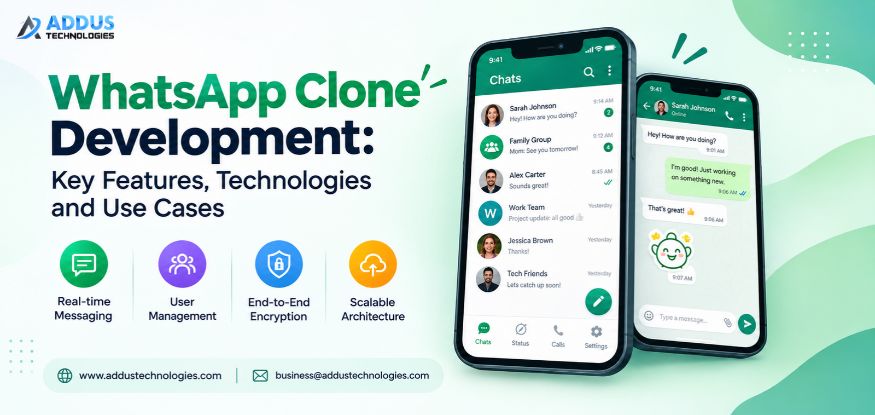
A customer message arrives on one platform, an employee update is posted on another and important files are exchanged on yet another. As conversations move to other tools, it can be more difficult for businesses to stay on top of conversations and keep them organized and accessible. That’s where a dedicated messaging platform can come in.
WhatsApp Clone Development allows businesses to build a messaging platform according to their communication requirements. It can include private chat, groups, calls, media sharing, notifications and admin controls. In this article, we would walk through Features, Technologies, Use Cases, Cost, Timeline and Company Selection for a WhatsApp clone.
What Is WhatsApp Clone Development?
WhatsApp Clone Development builds a messaging platform with functions similar to WhatsApp. It includes accounts, chats, groups, calls, media sharing, notifications, contacts and message status.
Businesses can customize the interface, communication rules, feature set, user access, and administrative controls. It can support internal communication, customer conversations, community messaging, or private social communication.
Why Build a WhatsApp Clone App?
Custom Branding
A branded messaging platform through WhatsApp Clone Development can use the company name, logo, colors, interface, and domain. This allows the business to maintain its own identity across the communication experience.
Control Over Features
Businesses can select the messaging, calling, media, notification, administration, and other functions they actually need instead of depending on a fixed feature set, allowing the platform to match their specific requirements.
Control Over User Access
A custom platform can define account types, permissions, registration rules, and access controls according to how users should interact with the application, giving businesses more control over user access and platform management.
Integration With Existing Systems
The platform can connect with existing business systems, APIs, cloud services, analytics tools or other software so communication data can work within verified workflows.
Scalability
A messaging platform may handle growing users, real-time messages, media uploads, notifications, and calls. A custom platform can evolve with communication demands, allowing infrastructure and capacity to grow.
Custom Monetization
Businesses can structure revenue models around their platform, such as subscriptions, premium features, paid communities, business accounts, or usage-based services.
Platform Ownership
WhatsApp clone app development puts control in the business’s hands. So that they can create a platform according to their wish and have complete ownership of their platform. It helps businesses not rely on existing messaging apps.
What Features Are Necessary for a WhatsApp Clone App?
User Registration and Authentication
Users can create accounts, verify identity, and sign in through supported methods in a WhatsApp Clone App. These controls provide controlled access while also supporting account recovery when users lose or cannot access their credentials.
One-to-One Messaging
Text messages can be exchanged privately between users in real time. Chat logs, delivery confirmation, and multimedia capability aid in managing chat sessions and make it convenient for users to trace their messages and media exchanges.
Group Chat
Group chat lets several users communicate in one conversation while settings define membership and administrative permissions. These controls help manage who can join, participate, and handle specific group activities.
Voice and Video Calling
A WhatsApp Clone can support voice and video calling, letting users communicate without leaving the application for personal, team, and customer conversations. Users can switch between supported call types based on their needs.
Image, Video and File Sharing
Users can send images, videos, documents, and supported files inside chats, keeping related information easy to access later. This allows conversations to include shared content without requiring separate tools for basic file exchange.
Voice Messaging
Voice messaging lets users record and send spoken updates without starting a live call. The app can support recording controls, playback, pause or resume, duration display, and upload handling for recorded audio.
Read Receipts and Message Status
Message status can distinguish between sent, delivered, and read states. The system can synchronize these states between devices and apply user privacy settings when read receipts are disabled.
Push Notifications
Push notifications alert users about messages, calls, and events when the app is in the background. Notification settings control alerts for individual chats or groups, including muted conversations.
Contact Management
Contact management lets users find, add, organize, or block people under defined account rules. The feature can also handle contact discovery, blocked-user lists, and synchronization of contact changes across supported devices.
Privacy and Security
Security controls protect accounts, conversations, and data using authentication, access control, encryption, and secure sessions. Access rules determine who can view profiles, participate in groups, or control content.
What Advanced Features Can Be Added to a WhatsApp Clone?
Multi-Device Support
WhatsApp Clone App Development can support multi-device access, letting one account operate across approved devices.
Chat Backup and Restore
Backup and restore can preserve selected conversation data. Users can restore supported chats after changing devices or reinstalling the application.
Message Search
Message search helps users locate older conversations using keywords or filters instead of scrolling through long histories.
Admin Dashboard
An admin dashboard gives authorized operators one interface for configuration, activity oversight, account actions, and operational controls.
User Management
User management provides controls for creating, reviewing, suspending, activating, or updating accounts under defined policies.
Community Management
Community management provides tools for organizing groups, assigning access, managing membership, and controlling settings across communities.
Content Moderation
Content moderation can identify, review, restrict, or remove content under platform rules using automated checks and manual review.
Analytics and Reporting
Analytics can track users, message activity, calls, retention, and platform events to help monitor usage patterns and overall platform activity.
What Technologies Are Used to Build a WhatsApp Clone?
The technology stack for WhatsApp Clone App Development depends on platforms, traffic, features, and operating requirements:
| Technology Layer | Best Option | Purpose |
|---|---|---|
| Frontend | React, Flutter, React Native | Web and mobile interfaces |
| Backend | Node.js, Python, Java, Go | APIs, business logic and server side services |
| Database | PostgreSQL, MySQL, MongoDB Redis | Persistent data and fast-access operations |
| Real time messaging | WebSockets and Socket.IO | Live message and event delivery |
| Aaudio/Voice | WebRTC | Real-time voice and video communication |
| Cloud | AWS, Google Cloud, Azure | Application hosting, storage, networking, and infrastructure |
| notification | FCM, APNs | Push notifications for supported devices |
| Security | TLS, OAuth, MFA, encryption | Secure communication, authentication, and account protection |
How Does WhatsApp Clone Development Work?
Step 1: Requirement Analysis
The team defines the messaging model, target users, supported platforms, chat types, calling needs, media requirements, notification behavior, administration, and integrations. This establishes which communication functions the platform must support.
Step 2: UI/UX Design
Designers create user flows for registration, contact discovery, one to one chats, groups, calls, media sharing, notifications and settings. Chat screens, message states, call controls and other interactions test before development begins.
Step 3: Technology Selection
The team selects frontend, backend, database, real time communication, cloud, notification and calling technologies based on the required platforms and expected usage. The stack must support real-time message delivery, media handling and concurrent connections.
Step 4: Backend Development
Developers build account services, chat APIs, message handling, contact management, group controls, authentication, and data models. The backend manages message states, user sessions, notifications, and communication between connected clients.
Step 5: App Development
Developers build the mobile, web, or desktop interfaces and connect them with backend services. Chat screens, contact lists, group conversations, message indicators, media previews, and calling interfaces are implemented according to the approved designs.
Step 6: Feature Integration
WhatsApp Clone App Development connects messaging, voice and video calling, media uploads, push notifications, read receipts, contact management and administrative functions. Real time events are synchronized so users receive messages, status changes and notifications as expected.
Step 7: Security Implementation
Security controls are applied to authentication, user sessions, APIs, message transmission, account access, and administrative functions. Permission rules are configured for users, groups, and platform operators according to the communication model.
Step 8: Testing
The application is tested for message delivery, concurrent conversations, notification behavior, media uploads, call connectivity, read receipts, and session handling. Multi-device synchronization, supported devices, network changes, performance, and security are also checked before release.
Step 9: Deployment
After validation, the WhatsApp Clone App is prepared for production and deployed to the required cloud environment and distribution channels. Database settings, media storage, notification services, monitoring, backups, and production access controls are configured.
Step 10: After Launch Support
Following launch, the team keeps an eye on media handling, calls, notifications, message delivery and application performance. Defects, dependency updates, security issues, infrastructure changes and new communication requirements are addressed through continual maintenance.
Where Can a WhatsApp Clone App Be Used?
Business Communication
A WhatsApp Clone can support internal conversations, project discussions, team updates, file exchange, and direct employee communication, keeping staff connected through one business platform.
Customer Support
Without bouncing between multiple communication tools, customer support teams can directly message or call to solve customer queries, share updates and manage customer conversations from one place.
Enterprise Communication
The platform can be used by large organizations to manage internal discussions while facilitating departmental communication, employee messaging, distributed teams, and cross-unit conversations across locations.
Community Platforms
Companies can use groups and communities for member discussions, events, interest groups and learning conversations, giving participants dedicated spaces for shared topics, activities and programs.
Private Messaging
The platform can support direct conversations between selected users through approved contacts, groups, or private channels, allowing organizations to control how users connect and where conversations take place securely within the platform.
Social Communication
A WhatsApp Clone can support social communication, while social platforms can use messaging, groups, media sharing, voice notes, and calling for everyday conversations within one application.
| Factor | WhatsApp Clone | Traditional Messaging App |
|---|---|---|
| Customization | Tailored to business needs | Limited to available options |
| Branding | Uses the business identity | Follows the app’s own identity |
| Features | Selected for specific requirements | Based on the available feature set |
| Admin Controls | Configured around platform needs | Limited to built-in controls |
| Scalability | Planned around expected growth | Depends on the existing infrastructure |
| Monetization | Supports business-specific models | Usually follows the app’s existing model |
| Privacy Controls | Configured according to business policies | Based on the service’s privacy settings |
How Much Does WhatsApp Clone Development Cost?
The cost of WhatsApp Clone Development depends on the platform’s scope, supported devices, features, technology choices, security requirements, integrations, and maintenance needs. A basic product with core messaging functions requires less development work than a multi platform application with advanced features.
- Features: Messaging, groups, calling, media sharing, notifications and advanced controls add to development work.
- Platforms: Building for web, Android, iOS or multiple platforms affects the project scope.
- Integrations: Payment systems, cloud services, analytics, storage or third party APIs can add development needs.
- Security: Authentication, access controls, encryption, and security testing require additional implementation work.
- Maintenance: It includes fixing bugs, providing infrastructure support and adding new features.
How much time does it take to create a clone of WhatsApp?
This will rely on the number of features, supported platforms, integrations, design considerations, testing and security considerations. The development time for an MVP with basic messaging functionality would take less time compared to one that is supported by multiple platforms and offers other services like calling.
The timeline can be influenced by:
- MVP scope: Core messaging, registration, groups, notifications, and basic media sharing require a smaller development scope.
- Advanced features: Calling, multi device support, moderation, analytics and admin controls add development and testing work.
- Platform coverage: Supporting web, Android, and iOS increases the number of interfaces and environments to develop and test.
- Integrations: External services and APIs may require additional development and testing.
- Testing and deployment: Compatibility checks, security testing, performance testing, and production setup also affect the schedule.
How to Choose a WhatsApp Clone Development Company?
Selecting a WhatsApp Clone Development Company requires reviewing technical experience, customization, security, scalability, previous work and post launch support.
Technical Expertise
Review experience with real time messaging, mobile and web applications, backend systems, databases, APIs, calling technologies, cloud infrastructure and related integrations.
Customization Capability
Check whether the team can adapt interfaces, workflows, account models, communication features, administration, and integrations instead of offering only a fixed application package.
Security Practices
Inquire about authentication, authorization, encryption, APIs, sessions, data security, vulnerability assessments, and administration by the development team before and after deployment.
Previous Projects
When selecting a WhatsApp Clone Development Company, review relevant projects, demos, case studies, and client references. Look for communication-platform experience.
Post-Launch Support
Confirm how the team handles monitoring, fixes, security updates, infrastructure issues, and ongoing maintenance after deployment to keep the platform running smoothly.
Why Choose Addus Technologies for WhatsApp Clone Development?
Addus Technologies offers WhatsApp Clone Development tailored to defined business requirements, covering selected communication features, interface customization, third-party integrations, scalable architecture, and real-time communication capabilities. The implementation can also be structured around target platforms, workflows, and specific operating needs.
The WhatsApp Clone App Development team can also handle security implementation, deployment, and post-launch support within the project scope. Businesses can define requirements before development so the platform matches their communication model.